
How to add or delete users from your account
As an administrator, you can add/remove domains from your footprint from the User management page, accessible from the top right menu.
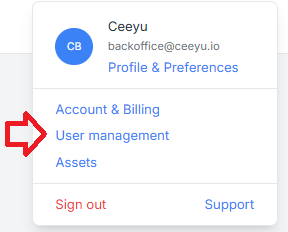
From this page, you can add two types of users.
- Administrators: can take actions that consume credits from your subscription, such as adding/removing assets, users and suppliers, or take actions that are potentially impactful, such as deleting questionnaires.
- Users: can consult all data on the platform, and can initiate and manage assessements.
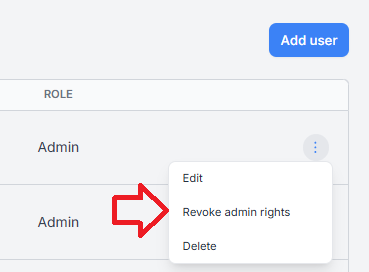
Admin rights can be managed from the three-dot menu.
⚠️IMPORTANT ⚠️
- The number of users is limited by your subscription. Would you like to add more, please contact sales.
- Adding or removing users can only be done by users with administration rights.