
How to add or delete primary domains from your digital footprint
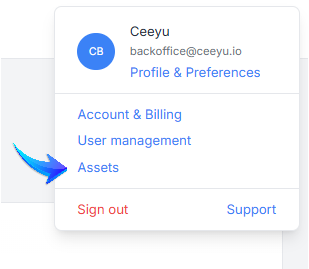
As an administrator, you can add/remove domains from your footprint from the Assets page, accessible from the top right menu.
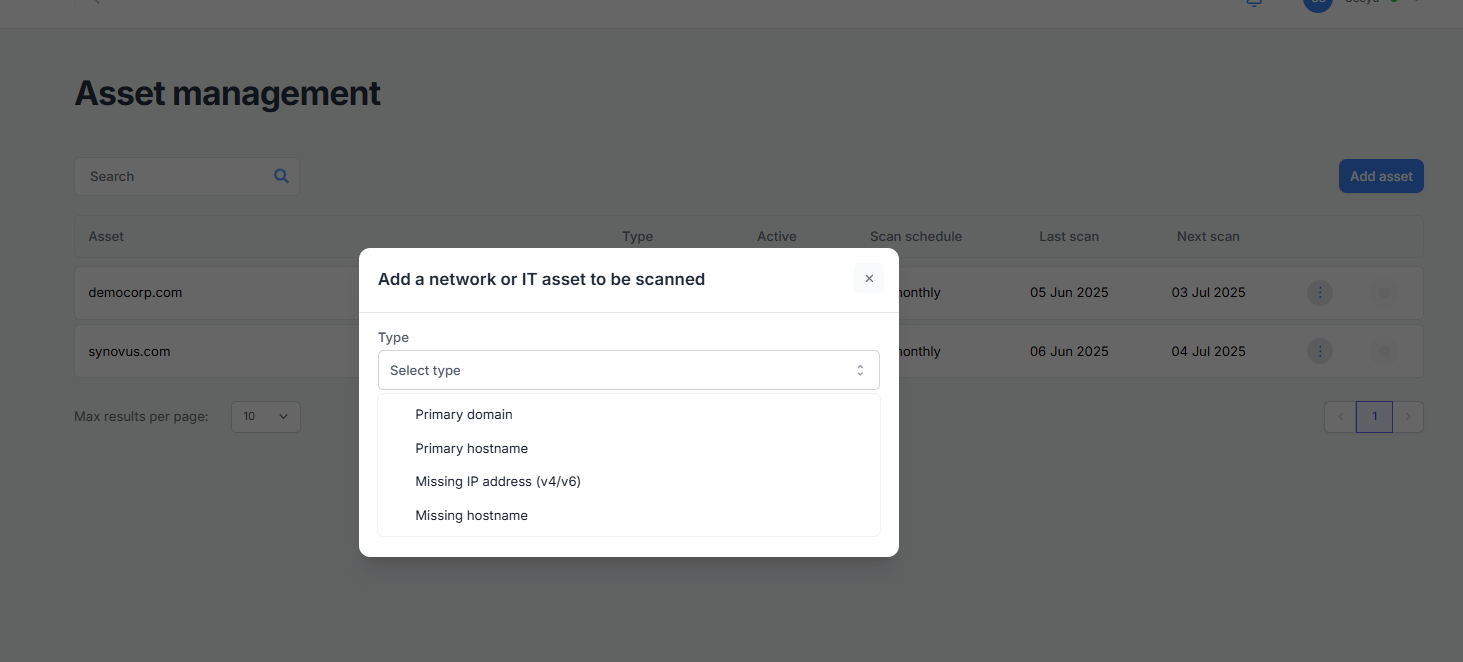
From this page, you can add four types of assets.
- A primary domain: eg. yourcompany.be
- A primary host name: a host for your exclusive use (= that only hosts your company's data), but under a domain that doesn't necessarily belong to you.
- A missing IP address: an IP address that our scanners may have missed when enumerating your footprint. The IP addresses you add must be assigned to one of your main domains or hostnames, and you must declare that this IP address is used exclusively by your company.
- A missing hostname: a host under one of your main domains that our scanners may have missed when enumerating your footprint.
⚠️IMPORTANT ⚠️
- You can only add or delete domain names, hosts and IP addresses for your own company. This is not possible for suppliers.
- The number of primary domain and host names you can add is limited by your subscription. Would you like to add more, please contact sales.
- There are no additional charges for adding IP addresses or missing hostnames to primary domains or hosts.
- Adding or removing assets can only be done by users with administration rights.