
How to configure supply chain risk scoring
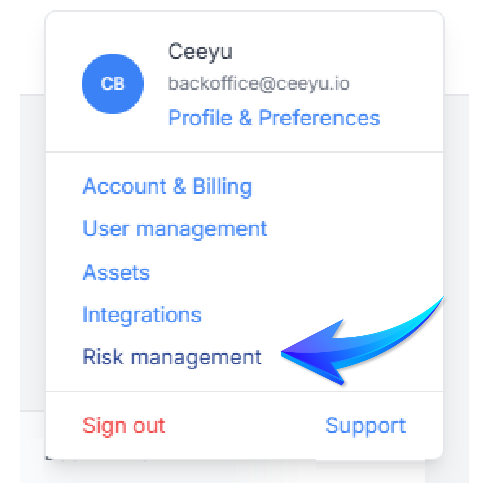
At Ceeyu, our motto is “Supply Chain Risk Management Made Easy.” That's why we provide you with the tools to translate supplier risks into one number, the overall Risk Rating, a weighted average of risk scores by domain (e.g. Cybersecurity, Data Privacy, ESG, etc). The weight of risk scores by domain is adjustable by supplier type. Here's how it works, from the Risk Management page, accessible via Profile & Preferences (configuration rights reserved for admins).
Supplier and assessment types
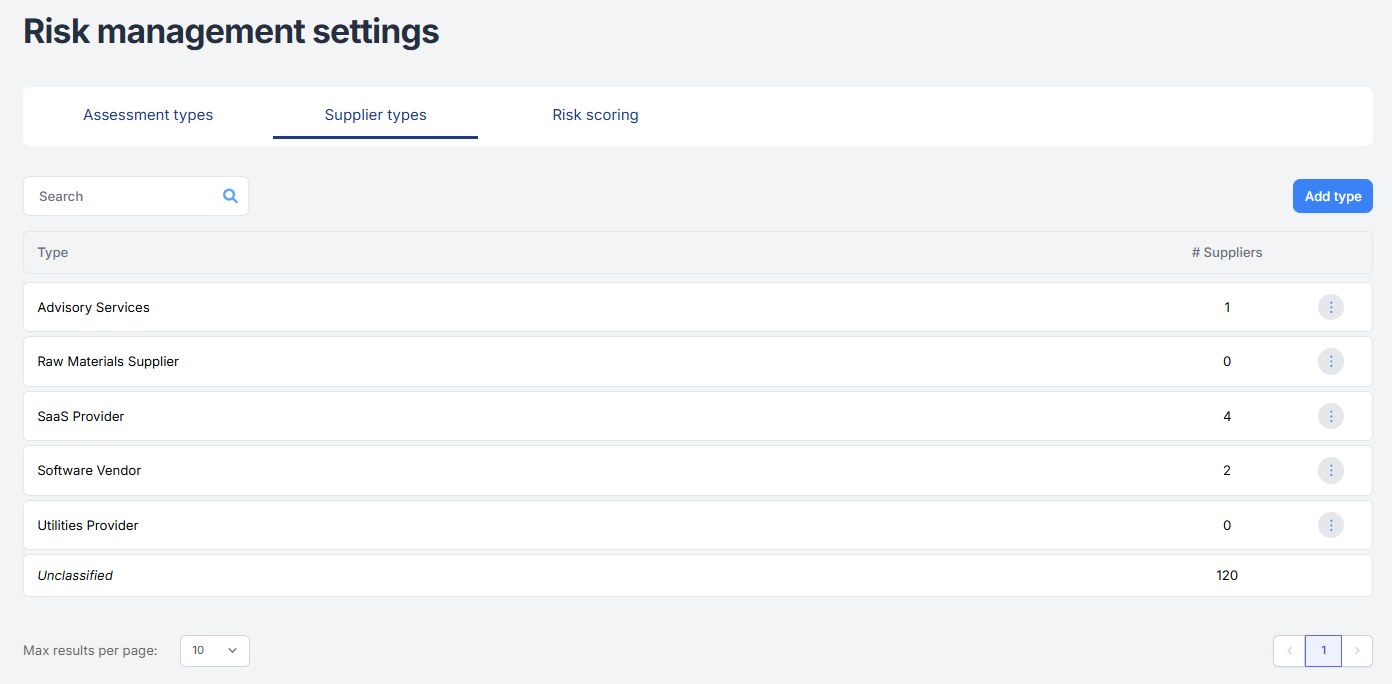
You can organize your suppliers into groups by supplier type. By default, we offer a set of 5 types, but you can delete them and/or add your own categorization of suppliers.
Similarly, you can organize questionnaires and assessments by type. Here too, we offer a set of 7 commonly used third-party risk management categories, to which you can add your own types. Unlike supplier types, you cannot delete our default assessment types, but you can decide not to use them. However, we strongly recommend that you use these types, as this will enable, for example, cross-industry comparisons to be made at a later stage.

The use of assessment types makes it possible to visualize risk scores by domain.
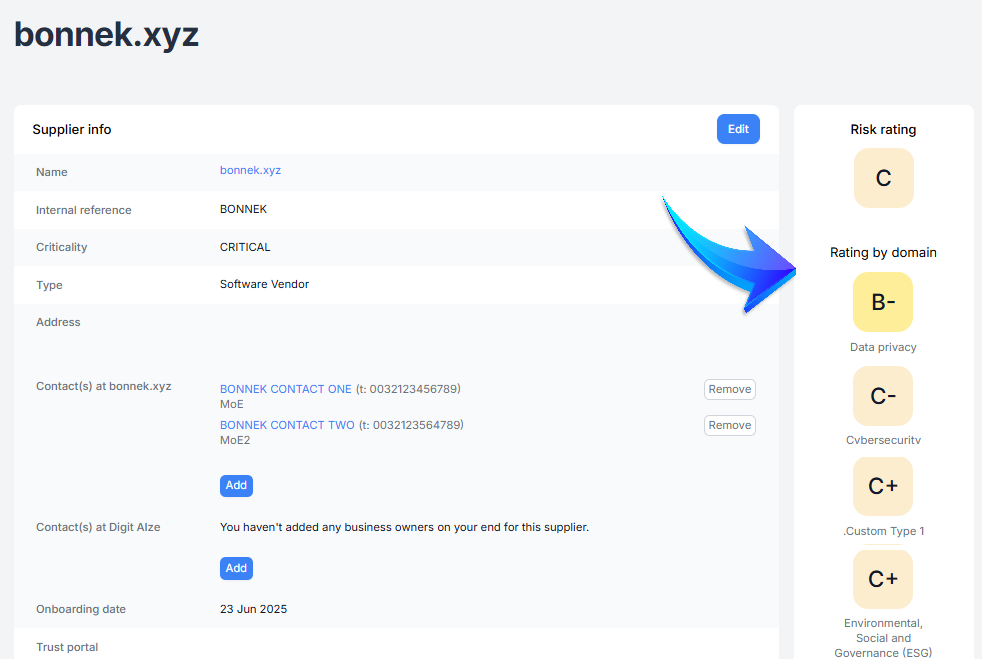
Supplier risk rating
The supplier's overall risk rating may depend on the Assessment Type and Supplier Type. For example, the impact of cybersecurity assessments will be higher for a mission-critical SaaS provider than for an office supplies vendor. This can be done from the Risk scoring tab.
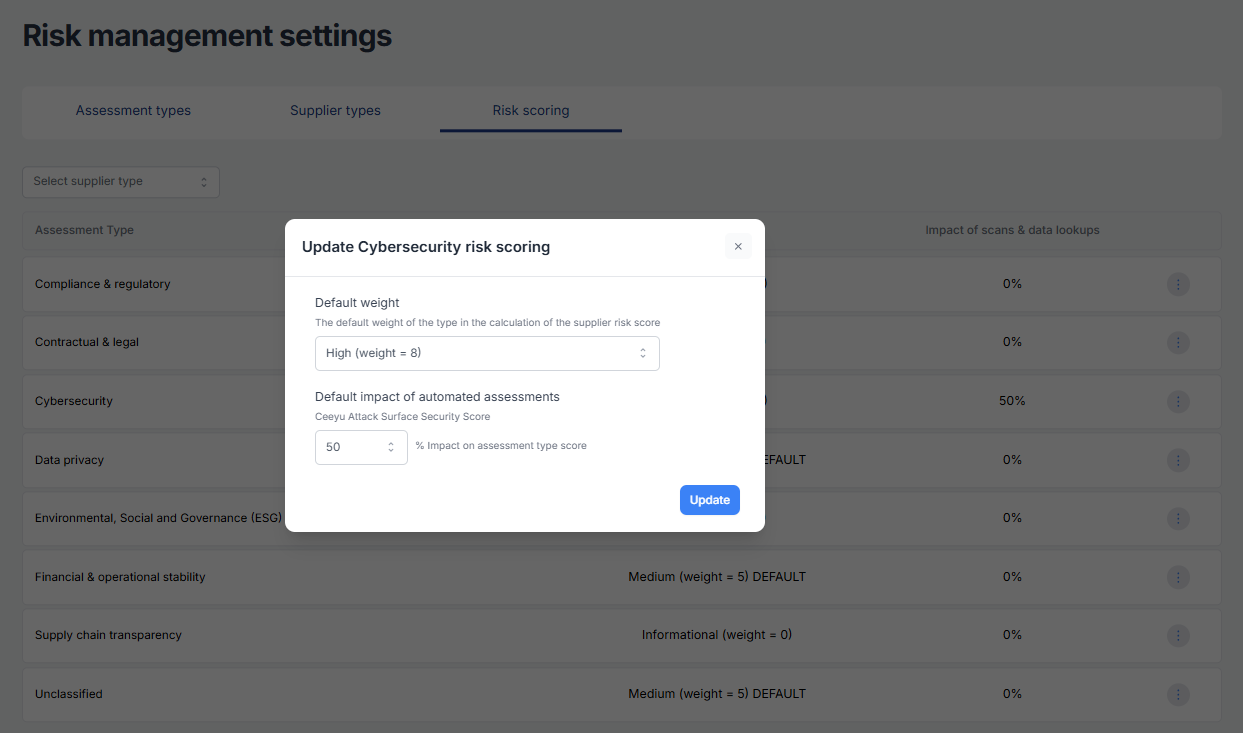
To begin, select the supplier type for which you wish to configure the risk rating. Then configure the impact of an assessment type using the three-point menu.
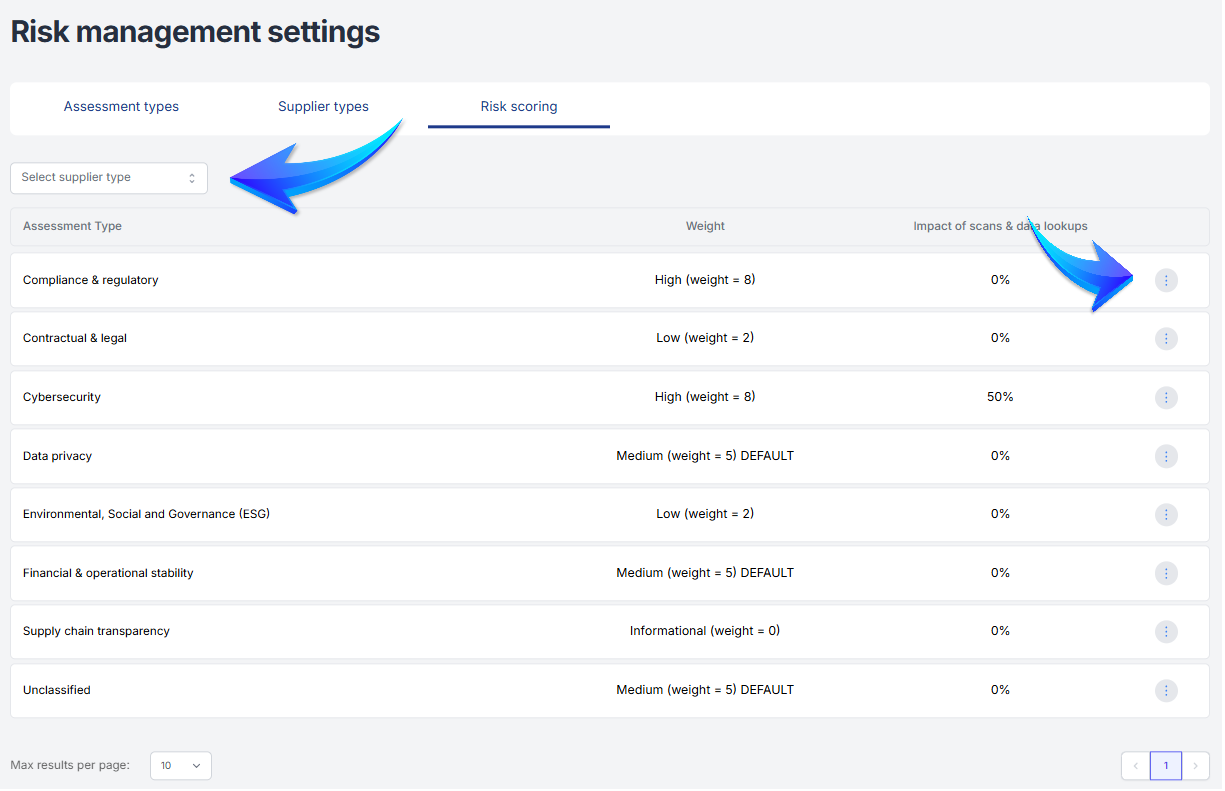
From the edit menu, you'll be able to configure the weight of the Assessment type score in the calculation of the total supplier Risk rating. You'll also be able to set the impact of the Automated assessment (currently only the Ceeyu ASM score, but other automated assessments may be added in the future) on the Assessment type score.
⚠️ IMPORTANT ⚠️
Any change to the configuration will update the current risk score, as well as future risk scores. A change in configuration does NOT change historical scores.